Annotate a PDF
Highlight text, add a note, or use ink and shapes to point out a detail. Save your review as a separate PDF so the original stays available.
See annotation tools →PELLUCID FOR LINUX
Highlight a passage, complete a form, or put a document’s pages in order. Pellucid brings those jobs together in a desktop application for Linux.
14-day trial. One-time purchase, with no automatic subscription. See pricing and license terms.
CHECK YOUR DESKTOP
The qualified Linux release is for Ubuntu 26.04 LTS on an Intel or AMD 64-bit computer with a graphical desktop. Other distributions, older Ubuntu releases, and ARM devices aren’t part of the published support target.
The package includes the .NET runtime. Trial start and activation require internet access, secret-tool, and an unlocked, persistent desktop Secret Service keyring. Paid licenses verify online at least every 28 days.
THE EVERYDAY PDF JOBS
Use one workspace for review, supported PDF forms, and page organization.
Highlight text, add a note, or use ink and shapes to point out a detail. Save your review as a separate PDF so the original stays available.
See annotation tools →Enter values in supported AcroForm fields. Use the form-design workspace to create and position fields, then save and reopen the document to check the result.
See PDF form tools →Insert pages from another PDF, change their order, rotate a sideways page, or extract the pages you need into a new document.
See page organization →A LOOK AT THE WORKSPACE
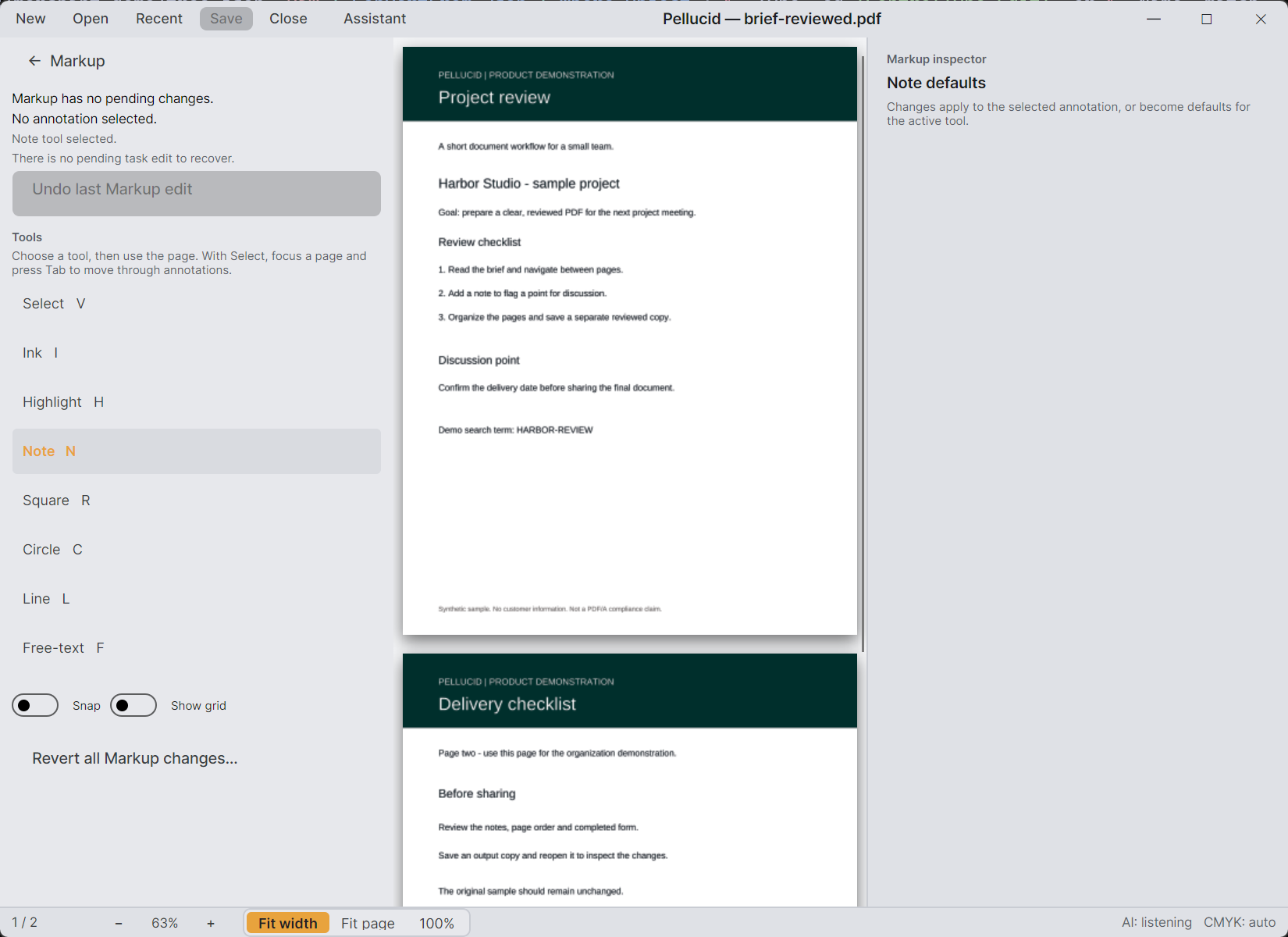
Reading, markup, forms, and page organization share the desktop workspace. The image here is an earlier Windows demo using a synthetic document, not a Linux release screenshot.
INSTALL ON LINUX
The current Linux download is a tar.gz archive. Extract the whole package into a folder owned by your user account, keeping its files together.
sha256sum on the archive and compare the result with the checksum above../Pellucid.App from your graphical desktop session.Check that secret-tool is available and your desktop keyring is unlocked and persistent. If the error continues, send the exact message and your operating-system version to support.
TRY IT WITH A REAL TASK
Suppose you’ve received a short project brief and need to return comments along with one page from a supporting document. Start with a copy you’re comfortable using for the trial.
If you only need the supporting pages, extract the selected pages into a separate PDF instead. For a form-based task, fill the supported fields and check their saved values after reopening. To build your own form, follow the fillable PDF tutorial.
BEFORE YOU DOWNLOAD
Pellucid’s free-text annotations add text on top of a page; they don’t rewrite the existing page text. The workflows here cover annotations, supported form fields, and page organization.
Text search uses text already in the PDF; it isn’t OCR. Form filling supports AcroForm fields. Unsupported forms may be inspect-only, so try your actual form during the trial.
No automatic subscription. A one-time purchase covers one named user on up to three activated computers across the supported platforms, with 12 months of updates and email support. Eligible versions remain usable afterward, subject to license verification. Review the current offer.
Starting a trial or activating a license needs an internet connection. Paid licenses require successful online verification at least every 28 days, so Pellucid isn’t a permanently offline licensing option. See verification details.
YOUR NEXT PDF
Use your own documents during the 14-day trial. The same package supports trial access and a purchased license.